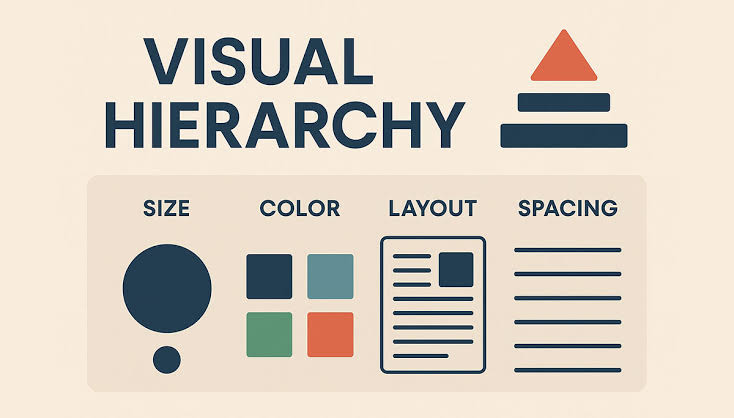
Organizing Information for Quick Understanding
A complex gaming dashboard may contain menus, account information, activity summaries, notifications, charts, and interactive controls. If every element receives equal visual emphasis, the screen becomes difficult to scan.
Visual hierarchy solves this problem by establishing a clear order of importance. It helps users identify the main information first, recognize supporting details, and understand where to go next.
In experimental digital design, hierarchy can also become part of the aesthetic. A carefully organized dashboard may combine dense information with bold typography, geometric panels, and contrasting colors without losing clarity.
Using Size, Contrast, and Spacing
Designers can establish hierarchy through several visual techniques. Larger headings generally attract more attention than small labels. Strong contrast can distinguish primary actions from secondary options, while spacing creates separation between groups of information.
Alignment also matters. When related controls follow a consistent grid, users can understand their relationships more easily. Unexpected placement may work in an artistic composition, but it can create unnecessary friction in an interface that people need to navigate.
For example, a dashboard might place the page title at the top, key account information beneath it, and detailed activity records in a separate section. This arrangement gives the screen a logical reading order.
Reducing Visual Competition
A common design problem occurs when too many elements compete for attention. Bright badges, animated icons, large buttons, and decorative backgrounds may each look attractive individually, but together they can weaken the overall composition.
The solution is not necessarily to remove visual personality. Instead, designers can reserve the strongest emphasis for elements that genuinely need it. Secondary information can use quieter colors, smaller text, or more restrained styling.
Complexity should also be managed through grouping. Related controls can be placed within a panel, while less frequently used settings can be moved into a separate view. This keeps the main screen from becoming overloaded.
Supporting Different Users and Devices
A dashboard that works on a wide desktop screen may become cramped on a phone. Responsive layouts should therefore preserve the information hierarchy while adapting the arrangement to smaller displays.
Accessibility is equally important. Text must remain readable, focus indicators should be visible, and important statuses should not depend on color alone. Clear labels can help users understand icons that might otherwise be ambiguous.
Structure as Part of the Experience
Visual hierarchy does more than make a dashboard look orderly. It reduces the effort needed to interpret information and helps people move through a digital environment with greater confidence.
The most effective dashboards balance visual experimentation with practical structure. By controlling emphasis, spacing, grouping, and contrast, designers can create interfaces that feel distinctive without becoming confusing.

One thought on “Why Visual Hierarchy Matters in Complex Gaming Dashboards”